100 CoinsUpcoming
 3 GemsUpcoming
 Free gacha rollUpcoming
 2 CrystalsUpcoming
 1 SpinUpcoming
 Epic AnimeUpcoming
 Legendary AnimeUpcoming
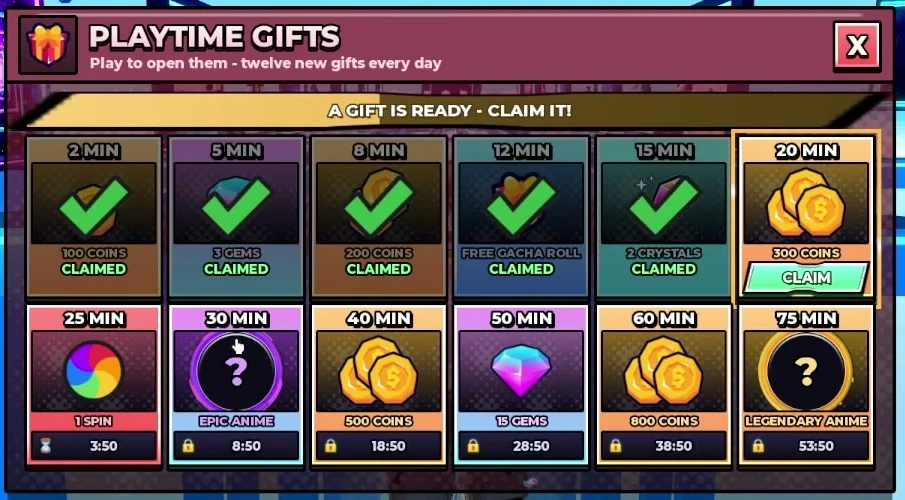
The playtime gift schedule
Open Gifts at the upper right of the lobby and claim each unlocked tile. The panel says it has twelve gifts each day. Your live menu is the final check if a later update changes a reward.
The free Elite roll is a separate reward
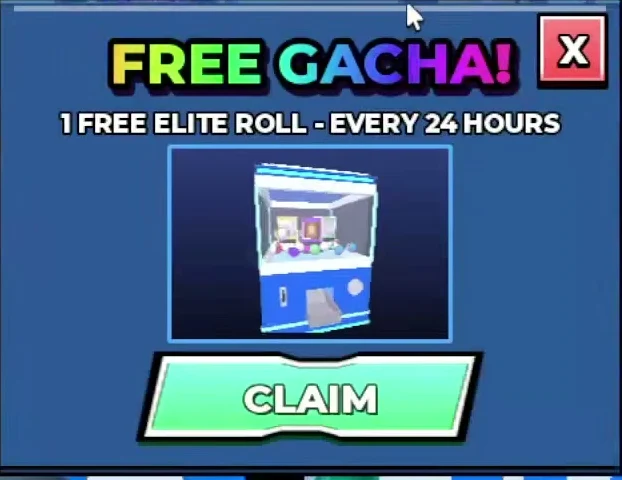
The FREE GACHA window says one free Elite roll every 24 hours. Claim it when that window allows you to. This is separate from the free gacha roll at the 12-minute Gifts threshold; the gift label does not say which banner it uses.
Check both menus during your session. A cooldown on the daily Elite roll does not tell you whether a playtime gift is ready.
A short reward route
- 01
Redeem any unused codes first. This takes less time than waiting for a gift threshold.
- 02
Open Missions and see which objectives overlap with what you were going to play.
- 03
Claim Gifts when the menu shows CLAIM. Do not assume a ready reward has already entered your balance.
- 04
Check the Wheel of Fortune if you have a spin, then return to your next duel.
Keep the three balances separate
The recorded twelve-gift schedule totals 1,900 Coins, 18 Gems and 2 Crystals, plus a gacha roll, a spin and two anime rewards. That total excludes missions, codes and match earnings. It is a schedule total, not an hourly farming rate.
| Currency | Places to check |
|---|---|
| Coins | Reported codes, playtime gifts, missions and duel rewards. |
| Gems | Reported codes, 5-minute and 50-minute gift tiles, and missions. |
| Crystals | Reported codes, the 15-minute gift tile, weekly jackpot and wheel rewards. |
Common questions
When is the free Legendary Anime?
The reviewed October 10 gift panel shows Legendary Anime at 75 minutes. The 60-minute tile gives 800 Coins.
Can I claim rewards here?
No. This site is a guide and local checklist. You must claim game rewards inside Roblox.
Will the timer stay in sync with Roblox?
No. Enter the playtime shown in your game. The planner does not connect to your Roblox account or track your online time.